
Home Systems & Energy
Thermostat Blinks? 6 Easy, Essential Checks | FixingManual
Thermostat blinks and won't turn on? Follow 6 easy checks for batteries, power, furnace panels and condensate safety, with practical tips from FixingManual.
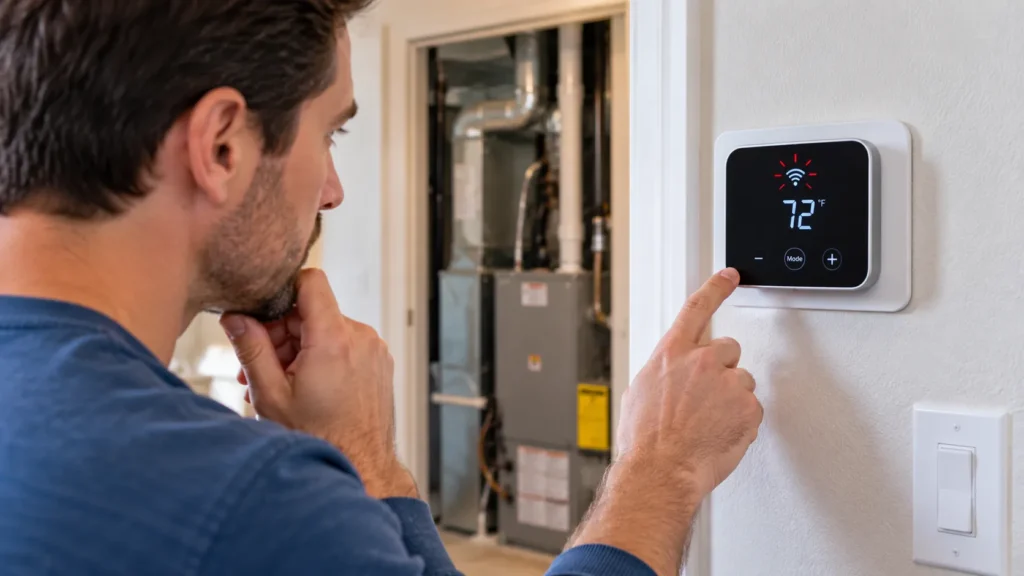
Image disclosure: Images are AI-generated illustrations, not photographs of FixingManual projects or hands-on product tests.
Thermostat blinks and won't turn on? The display may be rebooting, asking for batteries, reporting a delay, or losing the low-voltage power supplied by the HVAC system. The meaning depends on the brand and exact model. Before removing wires or opening equipment, record what the display shows and check the manual. A five-minute compressor-protection delay is very different from a blank screen that flashes every few seconds.
Most homeowners can check settings, batteries, breakers, and access panels. Diagnosis beyond those steps may involve live voltage, an equipment fuse, transformer, condensate safety, or control board. Leave that work to a qualified HVAC technician.
Start With Safety, Not a Reset
Stop troubleshooting and call for help if you smell gas, hear arcing, see smoke or sparks, notice scorched wiring, find water near electrical parts, or have a carbon monoxide alarm. Leave the home for gas or carbon monoxide warnings and call emergency services or the utility from outside.
Do not repeatedly reset a tripped breaker. Do not jumper thermostat terminals, bypass a float switch, or install a larger fuse. Those actions can damage equipment, defeat a safety control, or create shock and fire risks.
Record the Blink Pattern and Thermostat Model
If your thermostat blinks and won’t turn on after a power outage, first record the exact screen behavior rather than attempting repeated resets. Take a photo or short video of the message, symbol, color, and timing. Note whether the thermostat is fully blank between flashes, whether it shows “wait,” and whether the indoor equipment starts. Remove the thermostat face only if the user manual specifically describes that step.
Find the model number on the body, backplate, app, or original paperwork. Search the manufacturer’s official support page for that model. Generic internet instructions can confuse a low-battery icon with a system fault or a normal startup light.
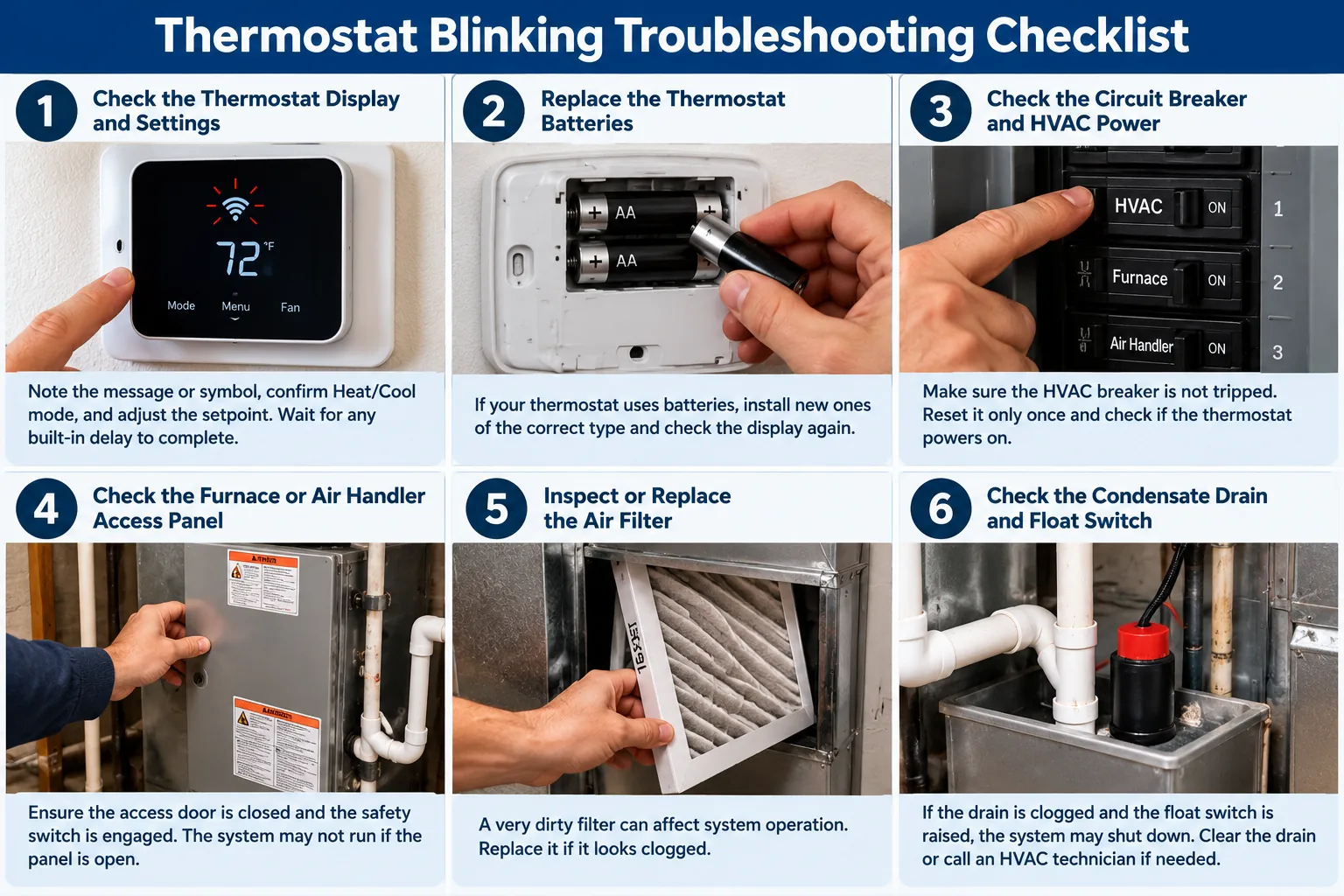
1. Confirm Mode, Setpoint, and Built-In Delay
Set the thermostat to Heat or Cool, not Off, and move the setpoint several degrees beyond room temperature. Make sure the schedule or vacation mode is not overriding the change. Some systems wait several minutes before starting to protect the compressor. A blinking snowflake, flame, or “cool on” message can indicate this delay rather than failure.
Wait the full time stated in the manual. If the symbol becomes steady and the system starts, normal protection was likely operating. If the screen restarts repeatedly or remains unresponsive, continue with safe power checks.
2. Replace User-Serviceable Batteries
When a thermostat blinks or restarts repeatedly, weak batteries are one possibility. Battery-powered and battery-assisted thermostats may blink, fade, or restart as batteries weaken. Install the specified fresh batteries with correct polarity, then replace the cover securely. Do not mix old and new cells or different battery types.
Some smart thermostats have an internal rechargeable battery rather than ordinary replaceable cells. Follow the manufacturer’s charging and power guidance. A recurring low-power warning may point to a C-wire or HVAC power problem rather than a worn battery. If you are considering an upgrade rather than a repair, compare options in our smart home automation installation guide.
3. Check the Furnace Switch and Breaker Once
If your thermostat blinks and won’t turn on despite fresh batteries, check the furnace service switch before assuming the thermostat is faulty. Many forced-air systems have a wall switch near the furnace that looks like a light switch. Confirm it is on. At the electrical panel, find the labeled HVAC, furnace, air-handler, and outdoor-unit breakers. If a breaker is clearly between positions, move it fully off and then on only once, provided there is no water, odor, burning, or visible damage.
If it trips again, leave it off and call a technician. A repeated trip can signal a shorted wire, motor, transformer, compressor, or other fault.
4. Make Sure the Equipment Door Is Seated
Furnaces and air handlers often have an access-panel interlock. A panel shifted during filter replacement can cut control power and make the thermostat blink or go blank. Turn the equipment off at its service switch before touching the panel, position it as the manual shows, and restore power.
Do not tape or hold the door switch closed. It is a safety device. If the panel does not fit, call for service.
5. Inspect the Filter and Airflow
If a thermostat blinks while the furnace keeps stopping, checking airflow is a sensible maintenance step. A severely clogged filter can contribute to overheating and a furnace limit shutdown, although it does not explain every blinking thermostat. Replace a dirty filter with the correct size and airflow direction. Open supply registers and keep return grilles clear.
If the furnace repeatedly starts and stops or overheats, turn it off and request service. A new filter does not repair a failing blower, blocked vent, dirty coil, or defective control.
6. Look for a Condensate Safety Shutdown
If your thermostat blinks and won’t turn on during a cooling call, a condensate safety switch may be involved. High-efficiency furnaces, air conditioners, and heat pumps produce condensate. A clogged drain or failed pump may raise a float switch that interrupts thermostat power to prevent overflow. Look only for visible water around the air handler, furnace, drain pan, or condensate pump.
Do not bypass the float switch. Turn the system off if water is spreading or near electricity, protect the area, and call an HVAC or drainage professional. Clearing the blockage and confirming safe drainage is the repair; forcing the equipment to run can cause water damage.
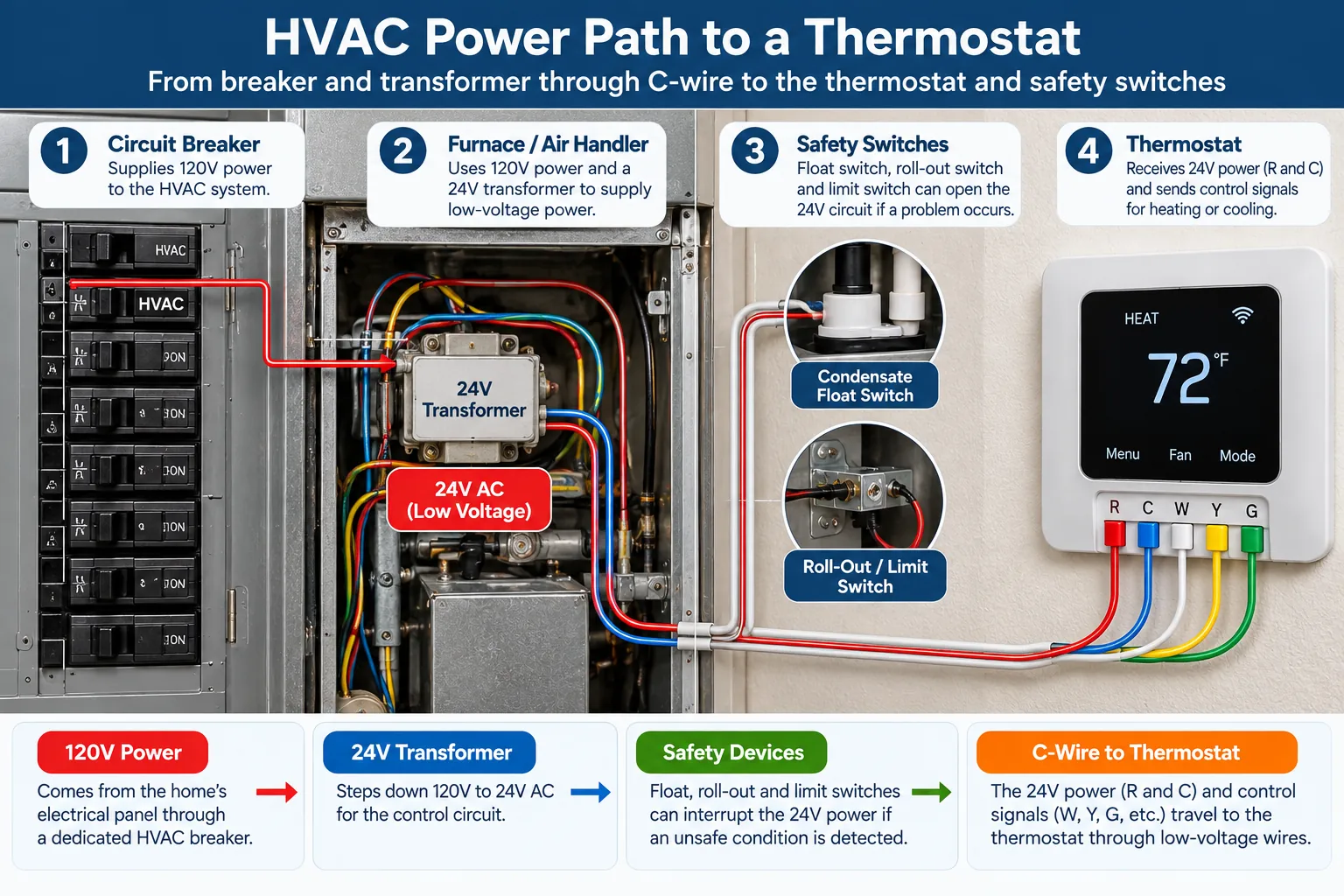
What a Technician May Test
When a thermostat blinks even after safe basic checks, a technician may need to test the power circuit. The technician may measure line and low-voltage power, inspect the 24-volt transformer, test a small equipment fuse, examine thermostat cable, verify C-wire continuity, check safety switches, and review the control board. Smart thermostats can also fail to charge if the system is not compatible or if accessory wiring was altered.
| Symptom | Possible category | Best next step |
|---|---|---|
| Blinking “wait” or snowflake | Normal compressor delay | Wait according to the manual |
| Faded display with battery icon | Weak batteries | Install specified fresh batteries |
| Repeated rebooting | Unstable low-voltage power or wiring | Schedule HVAC diagnosis |
| Blank after filter change | Door switch or service switch | Reseat panel safely and check switch |
| Blank with water in drain pan | Condensate safety opened | Turn off system and clear cause professionally |
| Breaker trips again | Electrical fault | Leave off and call a technician |
Thermostat Blinks and Won’t Turn On: Common Causes
Low batteries or a weak internal charge
This is the simplest possibility, especially when the display fades or shows a battery symbol. If new batteries do not help, stop replacing them and look for the underlying power issue.
Missing C-wire power
Many connected thermostats need continuous power between the R and C circuits. A loose connection, broken conductor, incompatible adapter, or failed transformer can cause restarts. Do not assume wire color proves function; the terminals and system design determine it.
Blown low-voltage fuse
A fuse on the furnace or air-handler board may open after a short, sometimes during thermostat replacement. Simply replacing it without finding the short can blow the new fuse and damage components. This is technician work.
Open safety switch or equipment lockout
Door switches, condensate floats, furnace limits, and other safeties can interrupt operation. Some faults reset only after the cause is corrected. A safety control should never be bypassed to “test” comfort operation.
Failed thermostat or control board
Electronics can fail, but replacement should follow power and wiring tests. Installing a new thermostat on an unstable circuit may reproduce the problem and complicate warranty claims.
When to Call for Thermostat Repair Service
If your thermostat blinks and won’t turn on even after safe basic checks, schedule professional service. A recurring reboot, a tripped breaker or blown fuse, visible water, a returning safety code, or equipment that does not respond all warrant professional diagnosis. Also call when the thermostat was recently installed and compatibility is uncertain.
Before dispatch, share the model numbers, blink video, equipment type, recent work, and steps already tried. Ask about the diagnostic fee, after-hours charge, approval process, and labor warranty. A written diagnosis should distinguish thermostat replacement from repairs to the HVAC power circuit. For more help during a winter breakdown, see our emergency furnace repair guide.
Keep a Short Symptom Log
Before a service visit, photograph the thermostat display and record the exact message, blink interval, mode, setpoint, room temperature, and whether the indoor or outdoor equipment runs. Note any recent outage or battery change. Avoid repeated resets that erase the symptom or restart equipment unnecessarily. If the house has no heat, use our emergency furnace repair guide to prepare for dispatch; a blink pattern alone does not identify a failed part.
Frequently Asked Questions
Why does my thermostat blink after a power outage?
It may be rebooting, recharging, reconnecting to Wi-Fi, or enforcing a compressor delay. Give it the manufacturer’s stated recovery time. Repeated cycling after power is stable needs diagnosis.
Can I replace the thermostat myself?
Some straightforward low-voltage replacements are homeowner-friendly, but compatibility, C-wire requirements, multi-stage equipment, heat pumps, and accessory controls can make wiring complex. Turn power off and use professional installation when uncertain.
Why is the thermostat on but the furnace is not running?
The thermostat may be in a delay, the setpoint may not call for heat, or the furnace may be in safety lockout. Check the display and manual; do not bypass furnace controls.
The Bottom Line
When a thermostat blinks, the display is a clue rather than a complete diagnosis. Record the exact signal, allow normal delays, replace approved batteries, and check the service switch, breaker, access panel, filter, and visible condensate conditions. Stop at wiring or safety controls. Careful observations help an HVAC technician find the fault faster without turning a small power problem into equipment damage.
Helpful References
Keep reading
Related Articles
Home Systems & Energy
Aluminum Wiring Pigtail Repair Cost for an Older Home
Home Systems & Energy